You choose what matters
Forward an email and its attachments, push a selected Slack thread, upload a file, or return approved AI work. WipStack only knows what you chose to send it.
how it works
See how intentional email and Slack capture becomes an organized project, an immediate next move, and a concise WipStack Pulse that reports back to you.
Start free →Forward an email and its attachments, push a selected Slack thread, upload a file, or return approved AI work. WipStack only knows what you chose to send it.
Useful facts, dates, totals, requests, and files stay connected to the right project. Clear matches are filed; uncertainty waits in Review.
The same channel confirms where the capture landed, the next move, and its due signal. A direct project link is included when the work is filed.
WipStack Pulse delivers three short, reasoned next moves and a weekly momentum count, then asks when active work has gone quiet.
When AI is useful
Connect WipStack once in ChatGPT or Claude. In a conversation, enable WipStack and say, “Use the WipStack tool to open [project name] before we work.” When the result is ready, say, “Send this to WipStack.” The AI can then save the task, decision, blocker, artifact, update, or summary you requested.
Follow the complete connector guide →Inside WipStack
These are current product screens populated with fictional sample projects. See intentional capture, WipStack Pulse, private files, human review, AI connections, and secure reporting.
Open the interactive sample →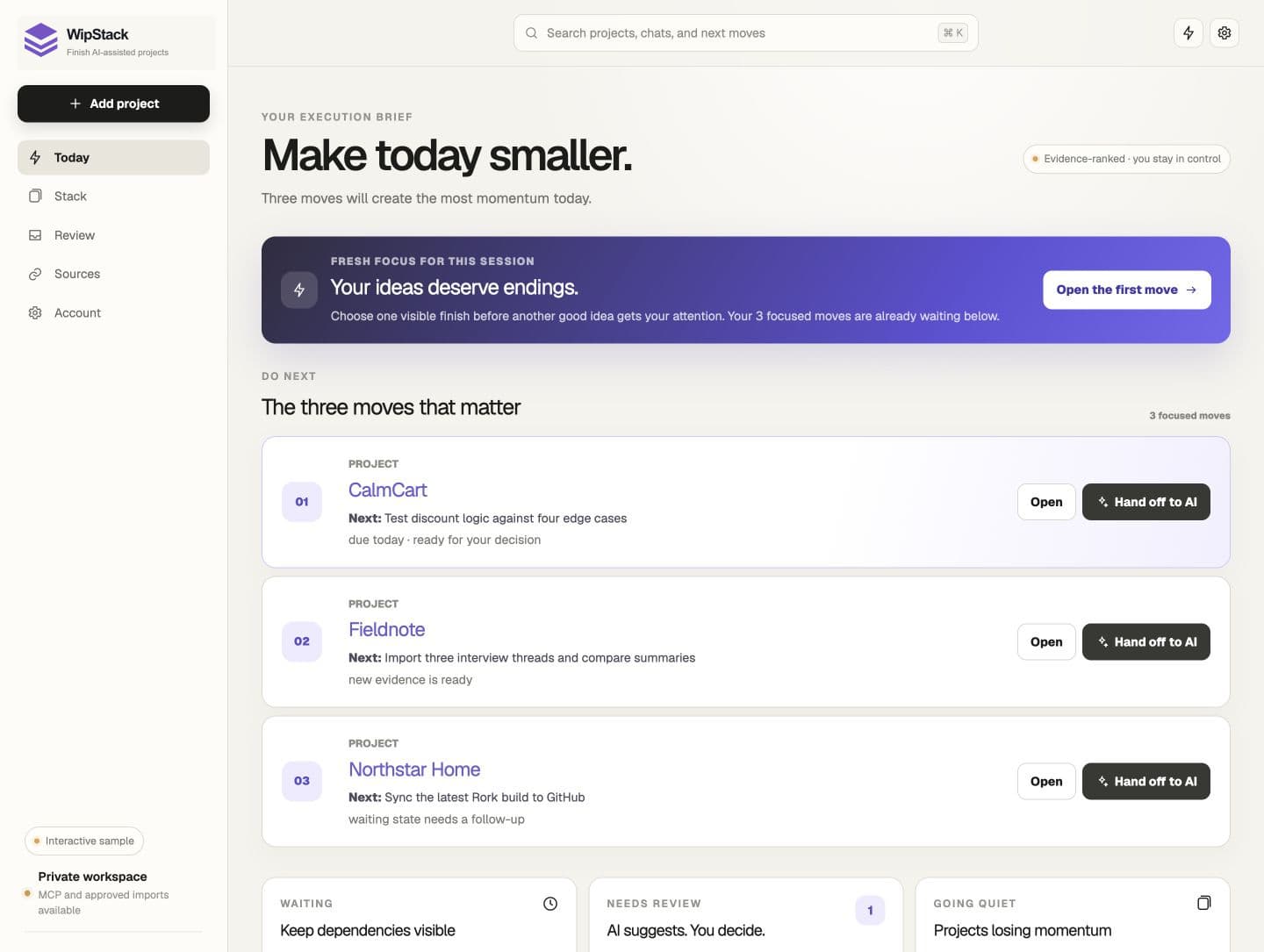
Start with a fresh completion push, then see three explainable moves ranked from dates, blockers, waiting states, review work, and recent evidence.
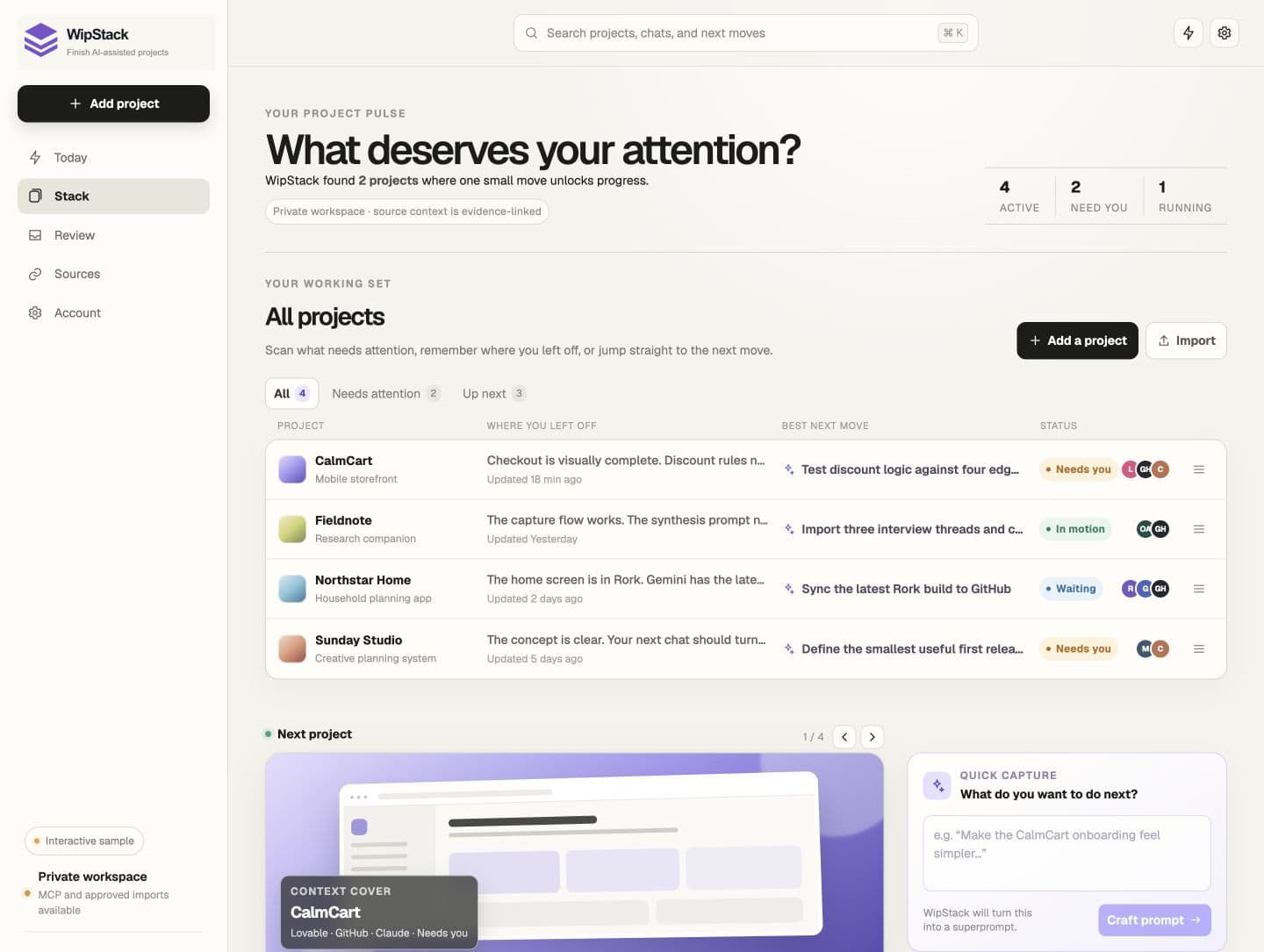
Order every project, scan where you left off, and open the truth behind its next move.
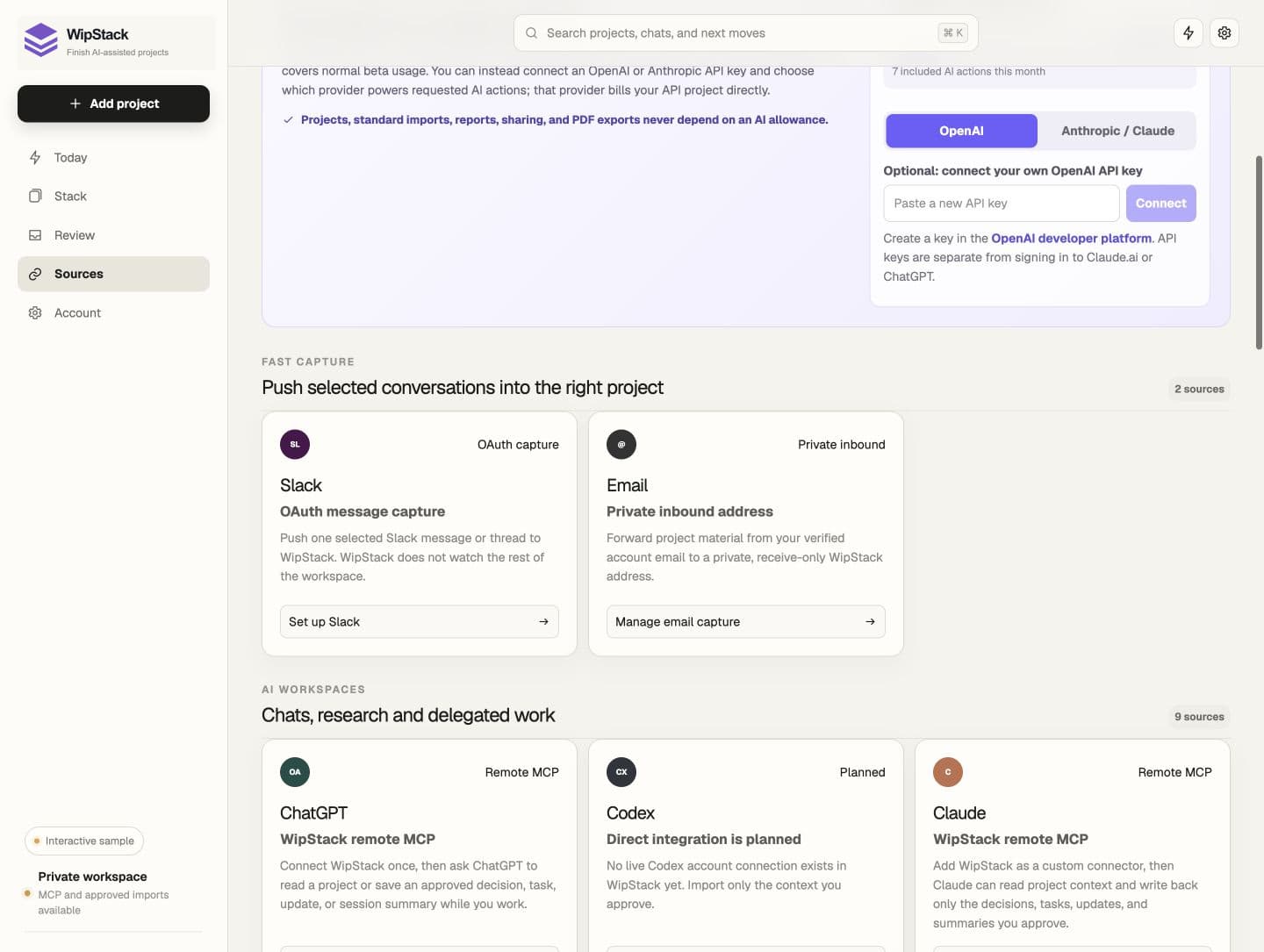
Connect ChatGPT and Claude through WipStack tools, push selected Slack threads, and manage private inbound email from Account.
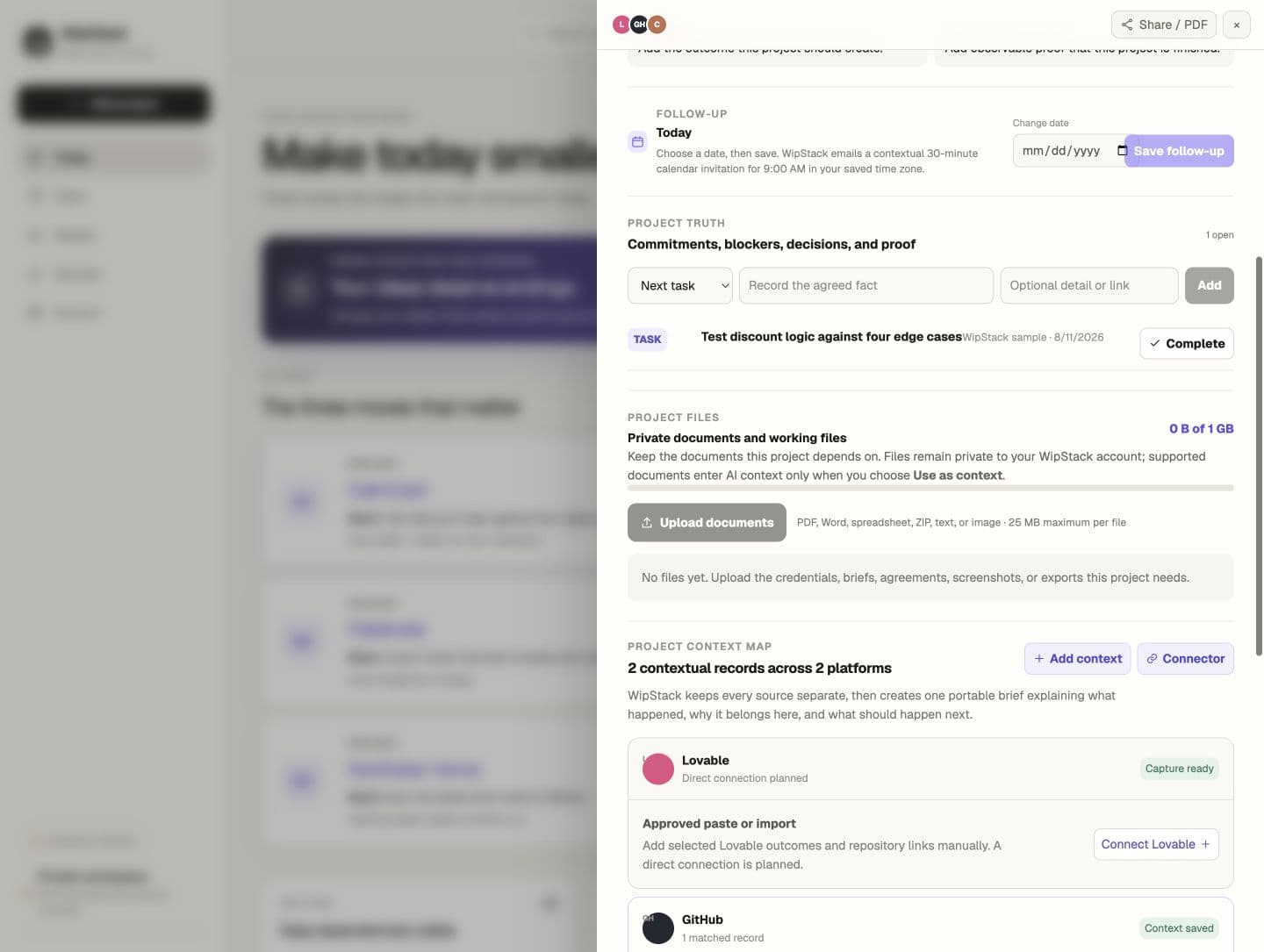
Upload private documents, screenshots, spreadsheets, and ZIP files. Nothing enters AI context until you choose it.
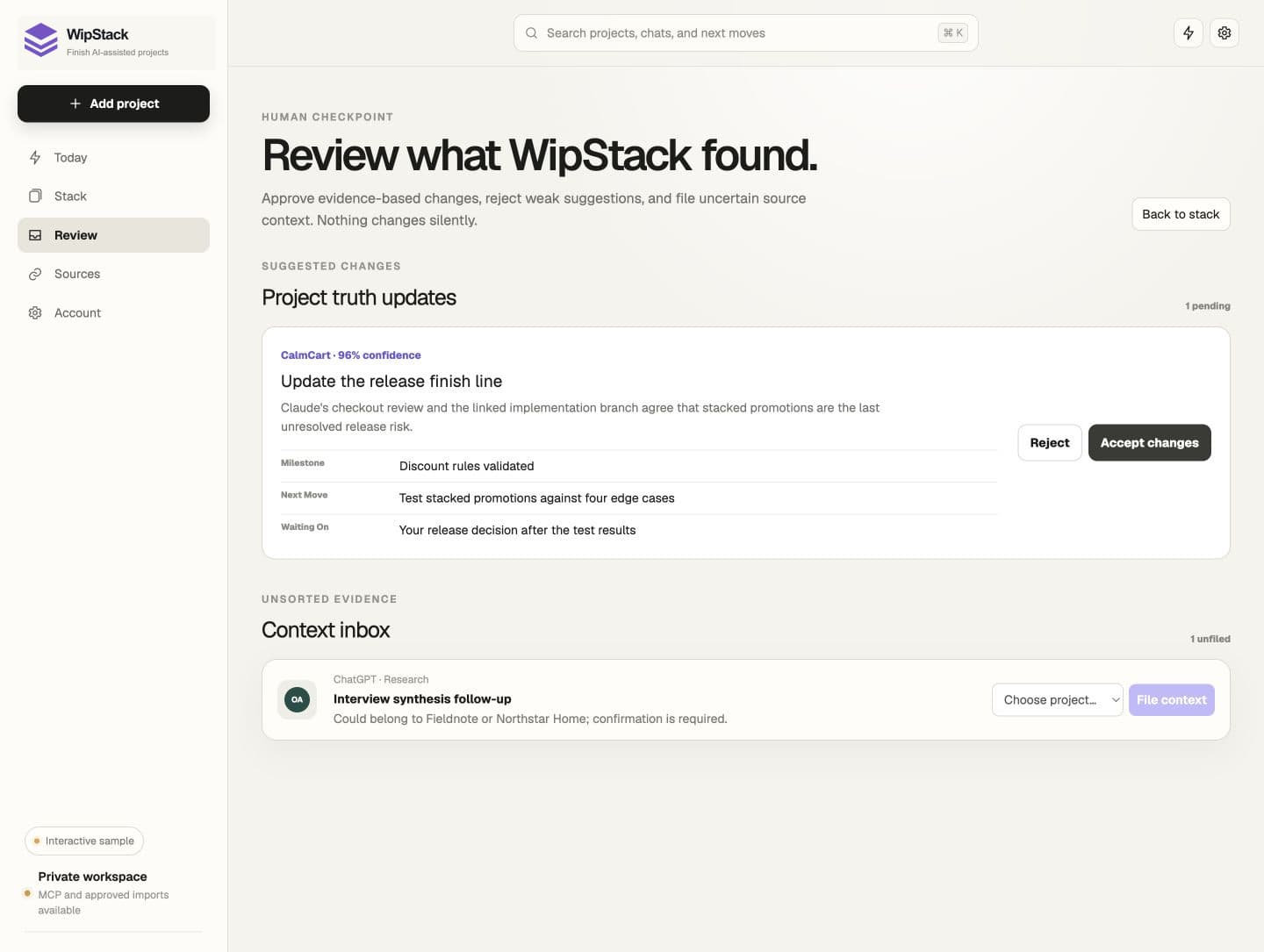
Accept or reject evidence-based project updates, and review uncertain Slack, email, file, or AI context before it reaches the wrong project.
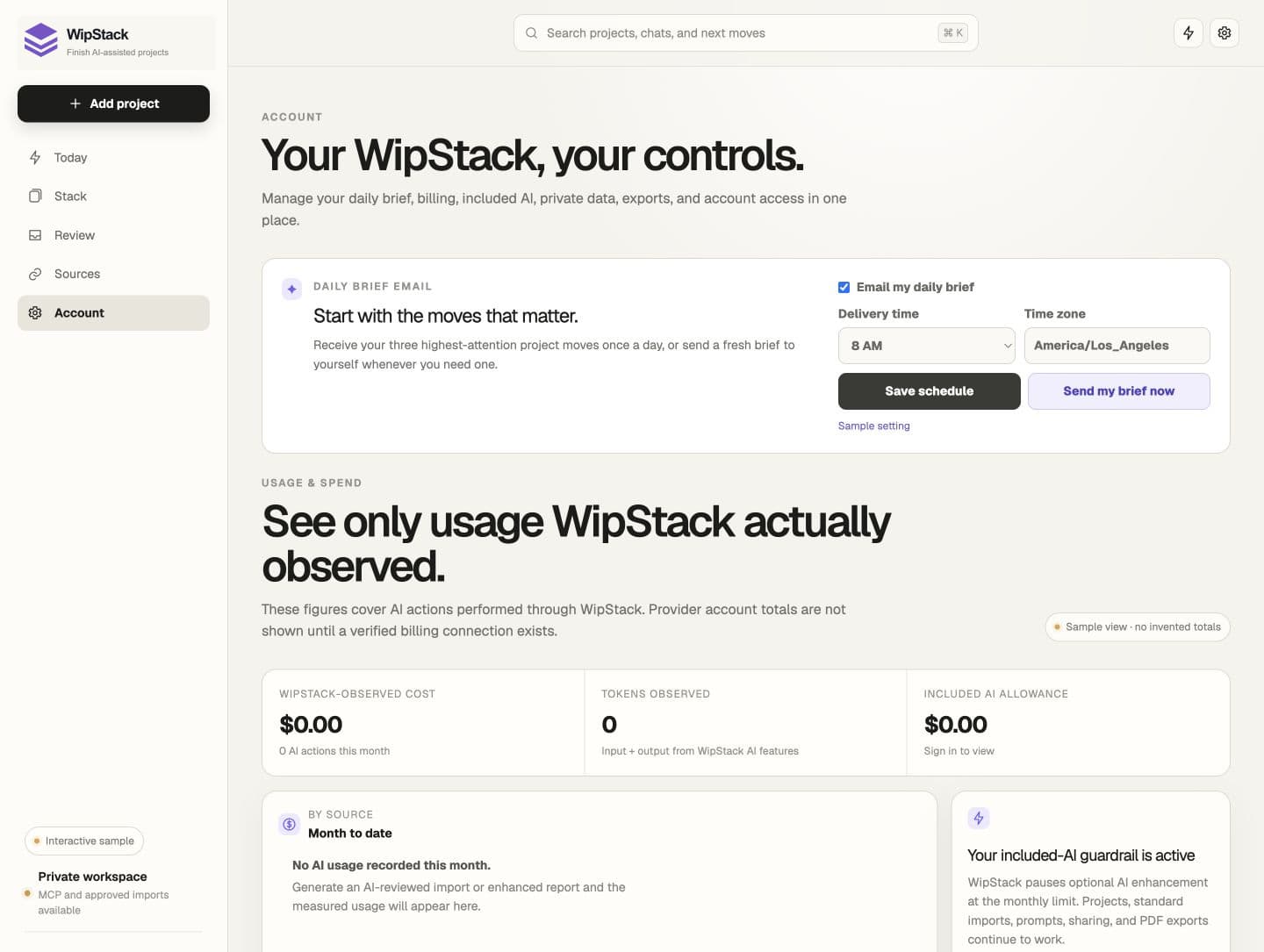
Choose the daily three-move email and Monday momentum check, send a fresh Pulse on demand, and control the AI boundary.
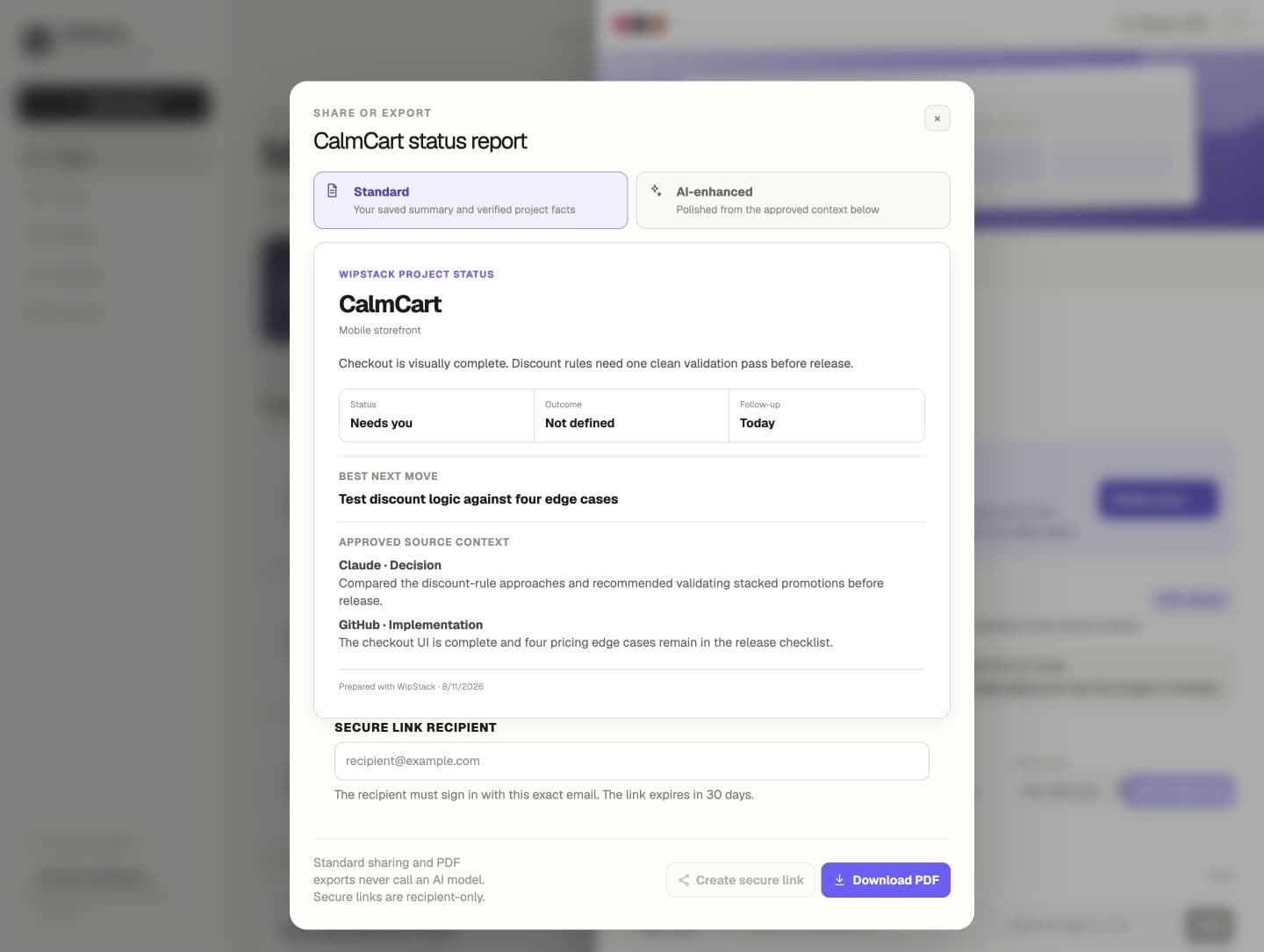
Create a recipient-restricted status link or download a current PDF without requiring an AI model.
The first receipt confirms the capture. The next Pulse brings the plan back to you. Open WipStack only when you need the full project record.
Read the complete FAQ →